Apovisio: our private, self-hosted video calls instead of Teams
Brief
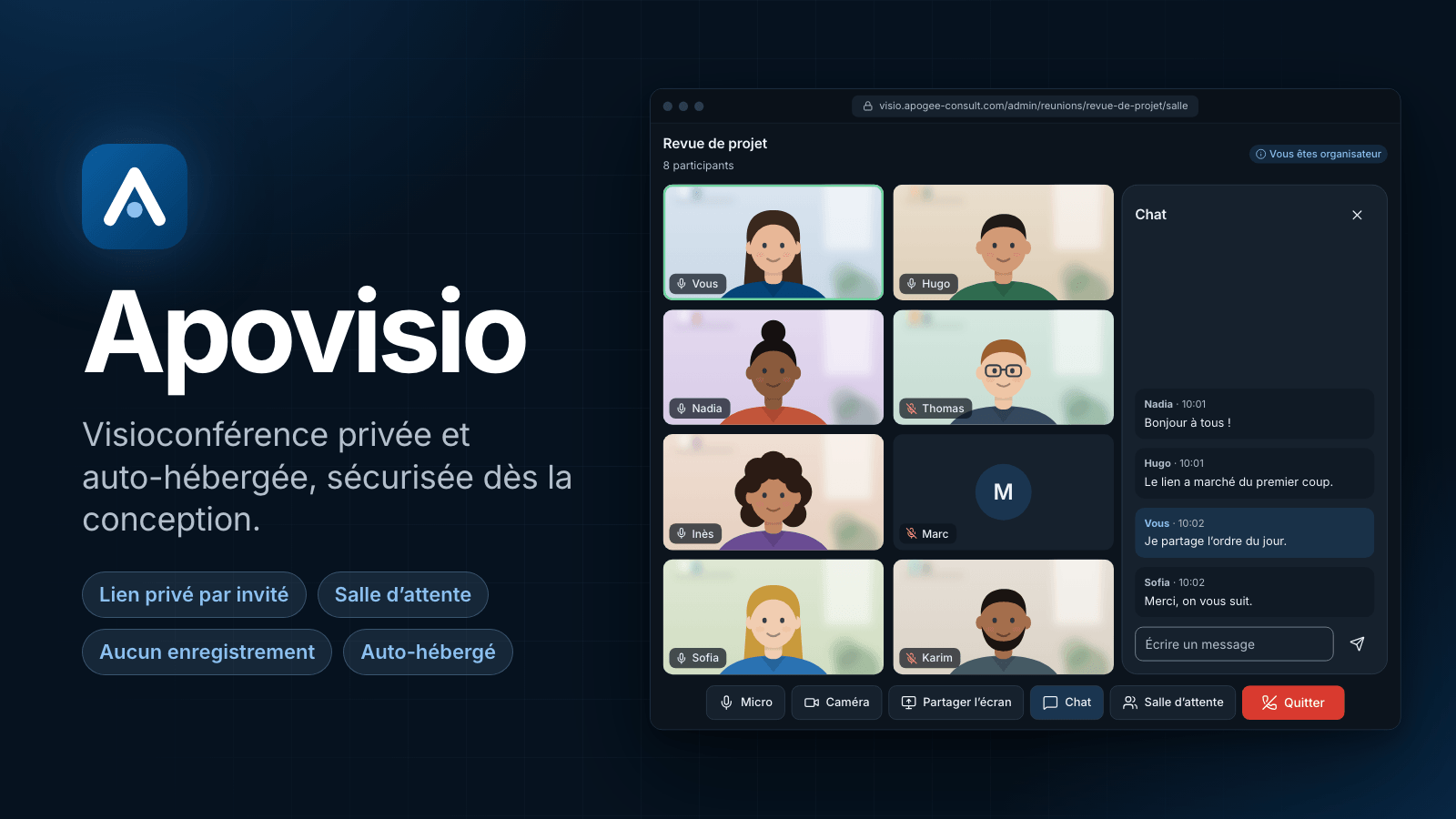
Apovisio is the video conferencing tool I designed and built for Apogée Consult. We use it for meetings with prospects and clients, instead of Teams. Guests receive a private link, join from their browser with no account and nothing to install, and only get in once the host lets them in. Everything runs on our own server, on open source building blocks: no proprietary solution at the core, and nothing is recorded.
Table of contents
- Where it started
- Goals
- The demo
- The flow: create, invite, join
- In the room
- Architecture
- Security by design
- A DevSecOps approach
- Design system and accessibility
- Results
- Limitations and next steps
- Tech stack
Where it started
With our prospects and clients, we often discuss sensitive topics. Those conversations used to go through Teams, and two things bothered me:
- we had no control over where voice, video and messages went: everything flowed through a vendor’s infrastructure, under its terms;
- joining was not always smooth for guests, between the mobile app to install and account questions.
So the idea was to have our own tool: as simple as clicking a link, with every piece under our control.
Goals
- Simple for guests: a link and a browser, nothing else. No account to create, no heavy client to install, including on phones.
- Private by design: one link per guest, revocable at any time; nobody gets in without approval; nothing is recorded.
- Fully under control: self-hosted, on open source building blocks, with no third-party service in the loop.
- Calm to operate: one-command deployment, encrypted backups, and automatic rollback if something goes wrong.
The demo
A 30-second demo (in French, best with sound). All data is fictional.
The flow: create, invite, join
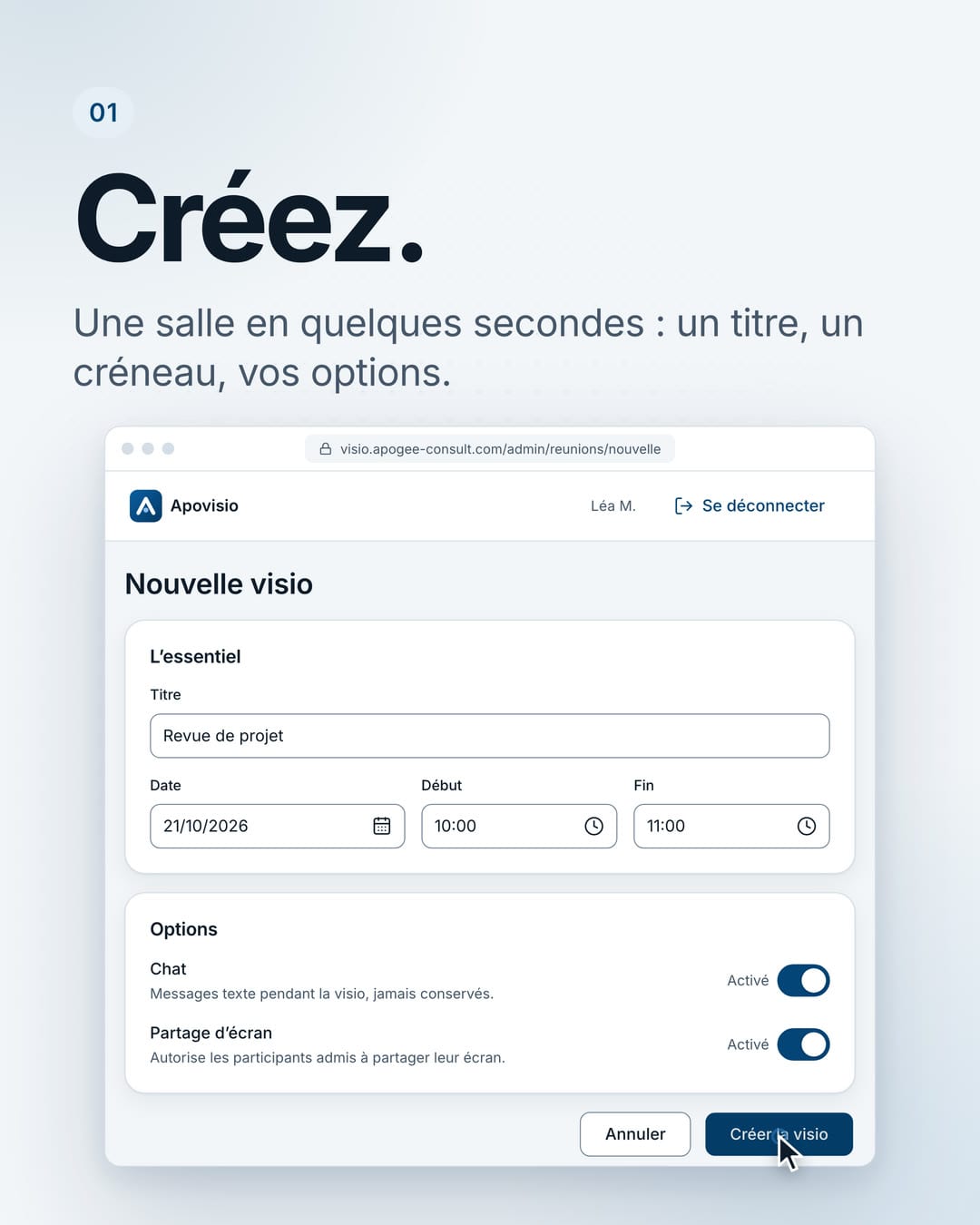
- Create. From the admin area, the host sets a title, a time slot and an expiry date, then picks the options (chat, screen sharing). Co-hosts can be added, with the same rights as the host.
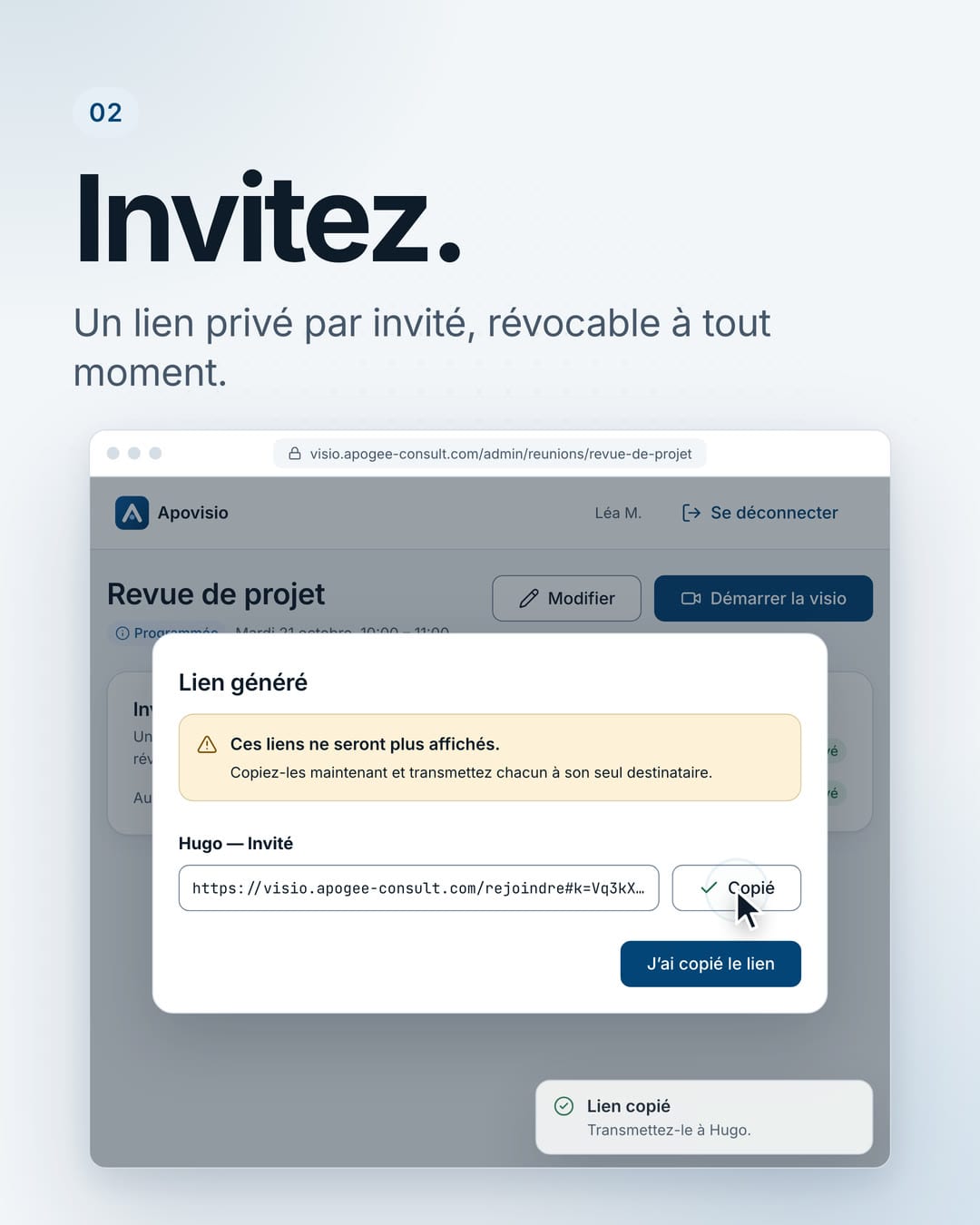
- Invite. The host generates one private link per guest. It is shown only once: if it gets lost, it is revoked and a new one is generated. Each link can be revoked on its own or in bulk, and expires with the meeting.
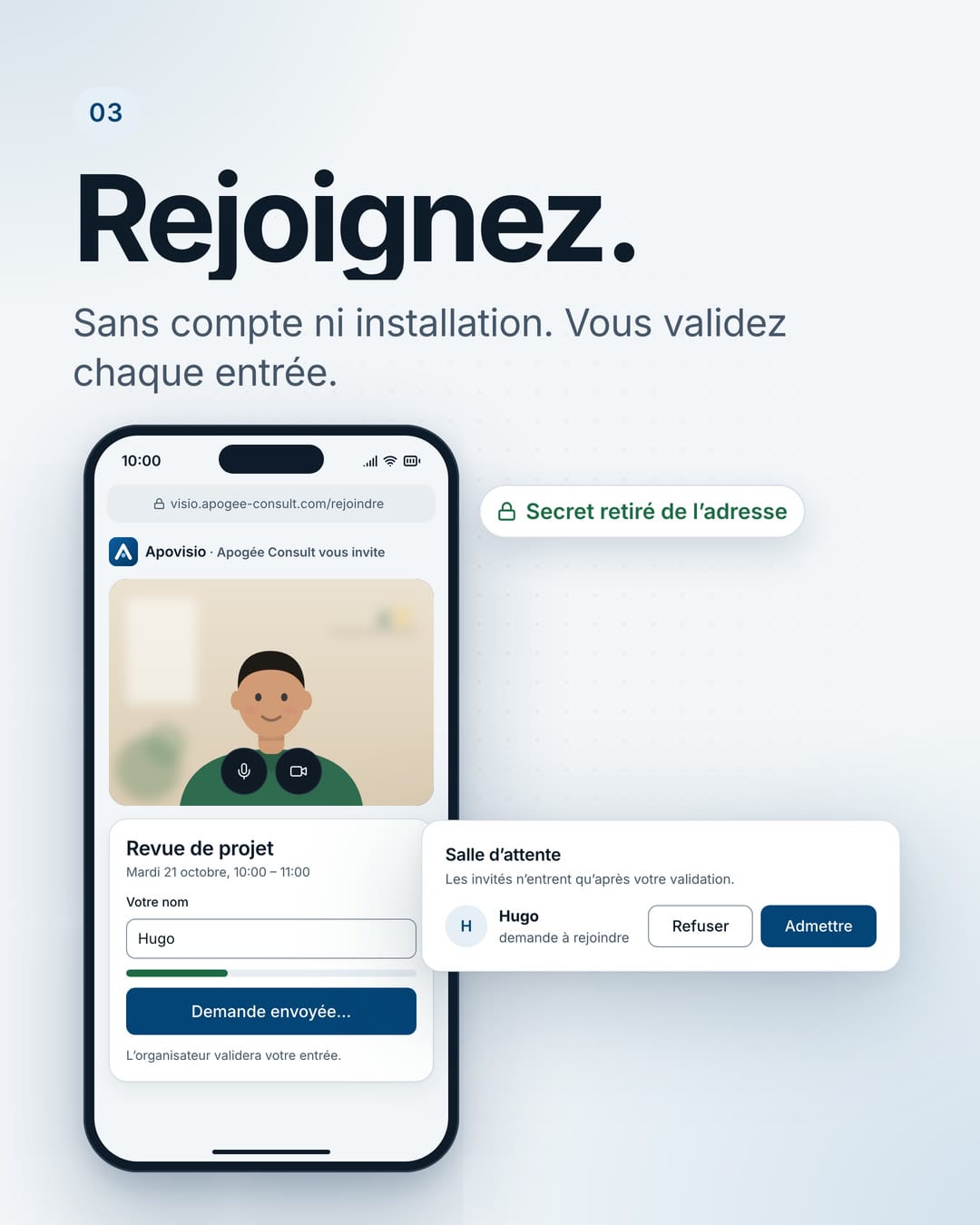
- Join. The guest opens the link, enters a name, checks camera and microphone, then asks to join. The host gets the request in the waiting room and admits or declines it.
In the room
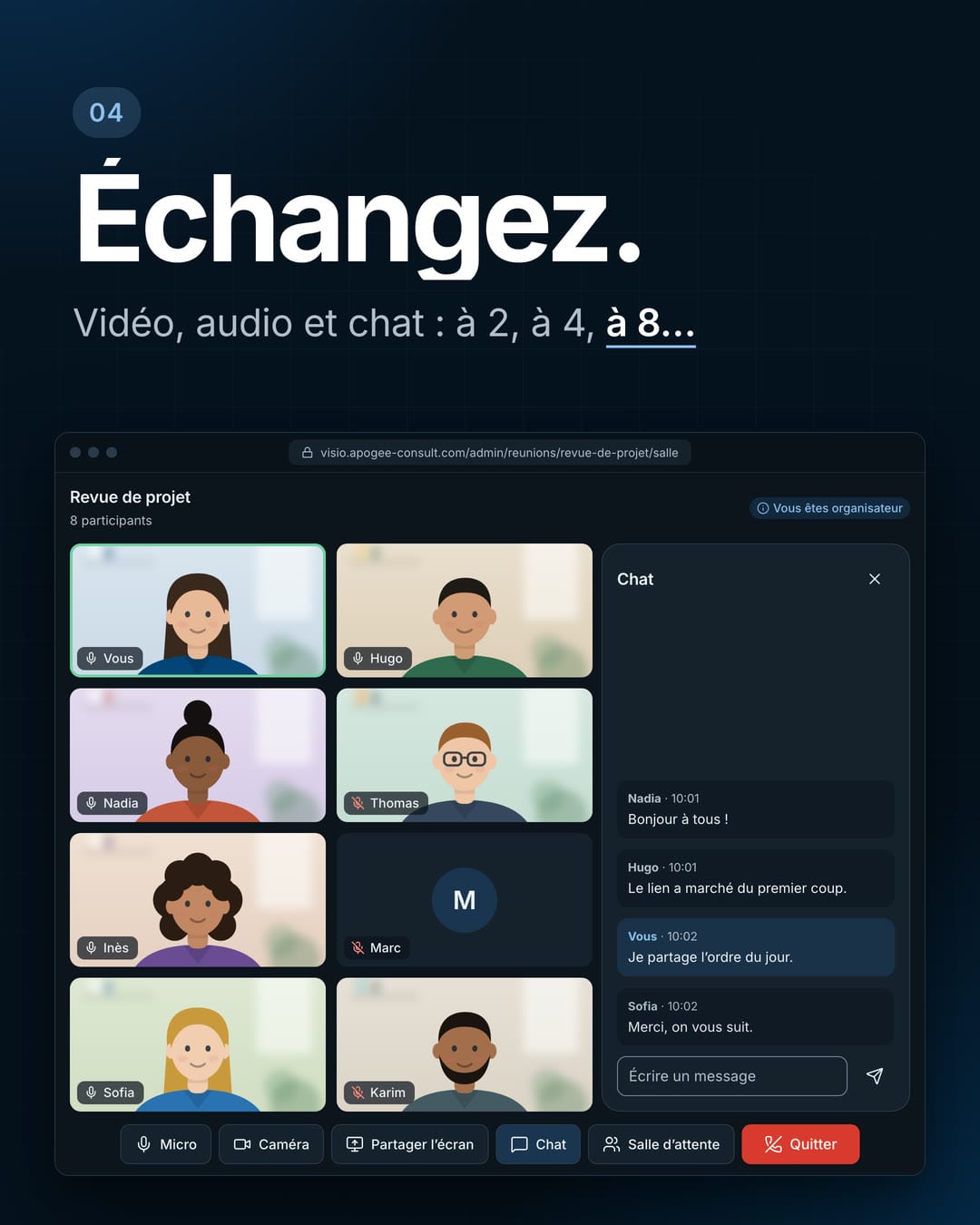
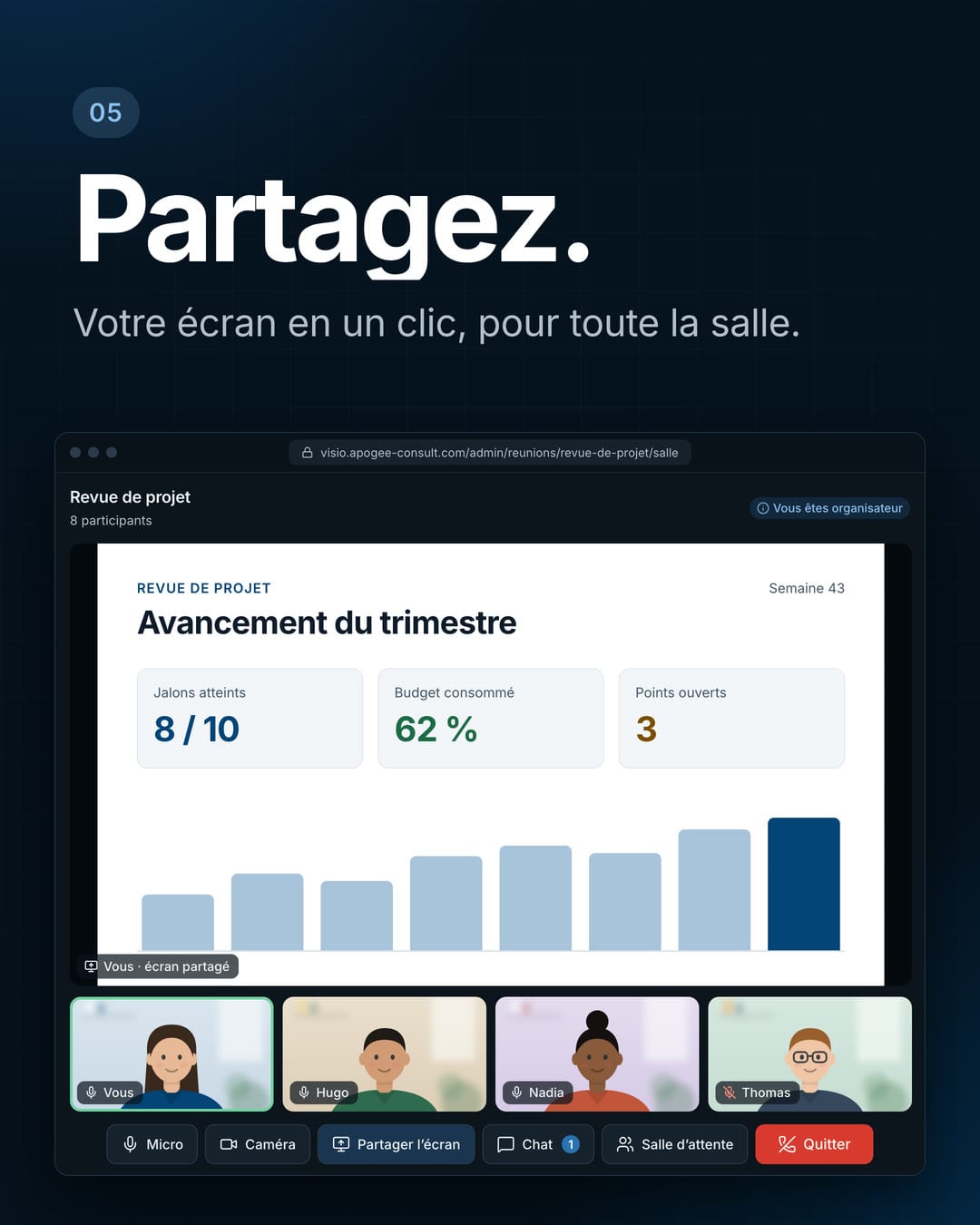
- The grid adapts to the number of participants, and an outline shows who is speaking.
- Chat is ephemeral: messages travel over the meeting’s data channel, are never received or stored by the server, and are limited in size and rate.
- Screen sharing takes the main stage, with cameras moved to a strip.
- The host stays in control: they can remove a participant, revoke their link so they cannot come back, or end the meeting for everyone.
Architecture
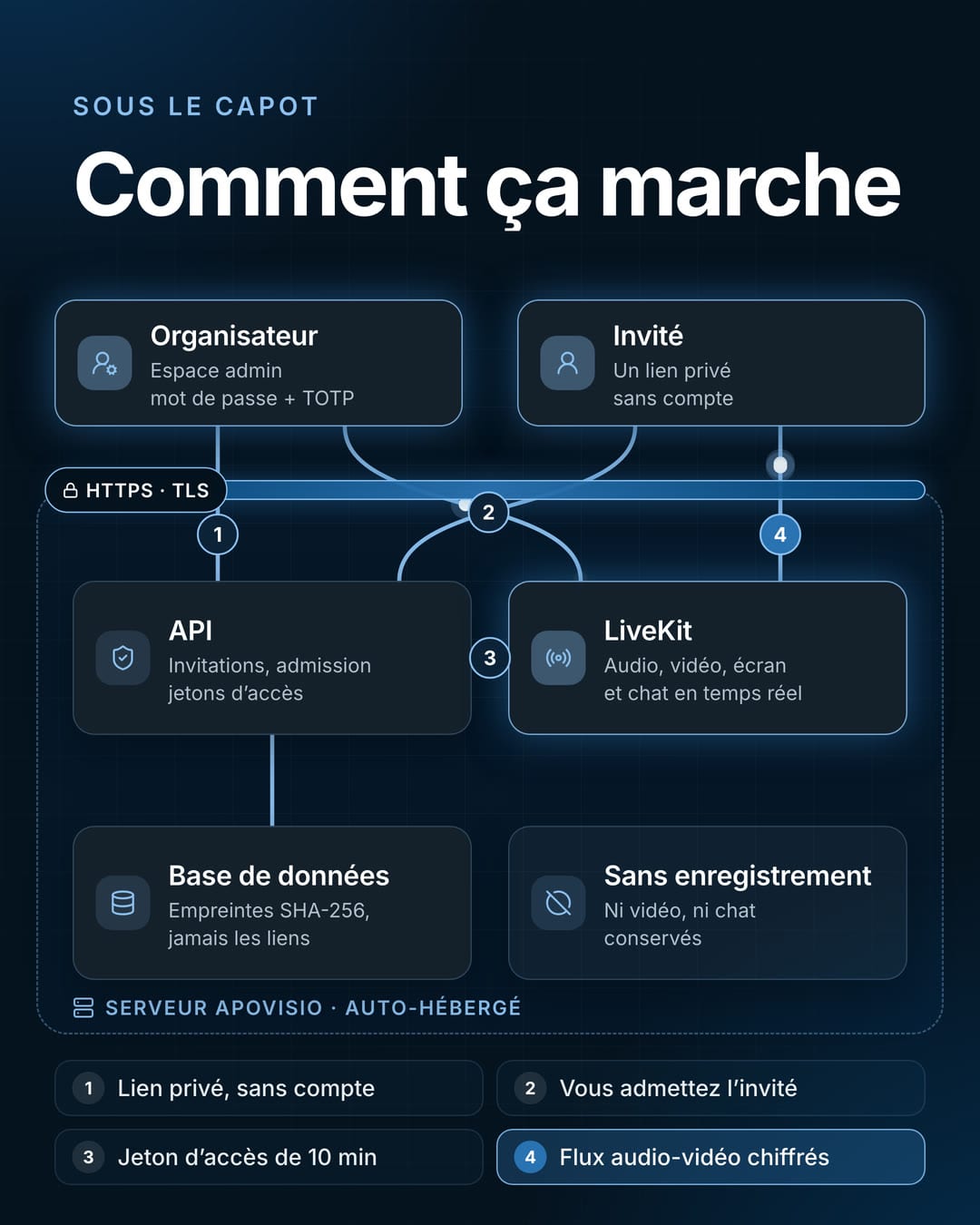
- The front end (React + Vite) covers the admin area, the guest flow and the room, built with LiveKit components.
- The API (NestJS + Fastify) handles accounts, meetings, invitations and the waiting room, and issues room access tokens. It is the only component holding the LiveKit keys: the browser only ever receives a token.
- LiveKit, an open source WebRTC media server (SFU), is self-hosted and carries audio, video, screen sharing and chat.
- PostgreSQL stores the data, and Redis handles rate limiting and pushes real-time events (waiting room, admissions) to browsers.
- Caddy sits at the edge: automatic HTTPS, plus SNI routing to also serve TURN/TLS on port 443. As a result, calls work even behind a corporate firewall that only lets HTTPS out.
Everything runs in Docker Compose, on our own server.
Security by design
Invitation links
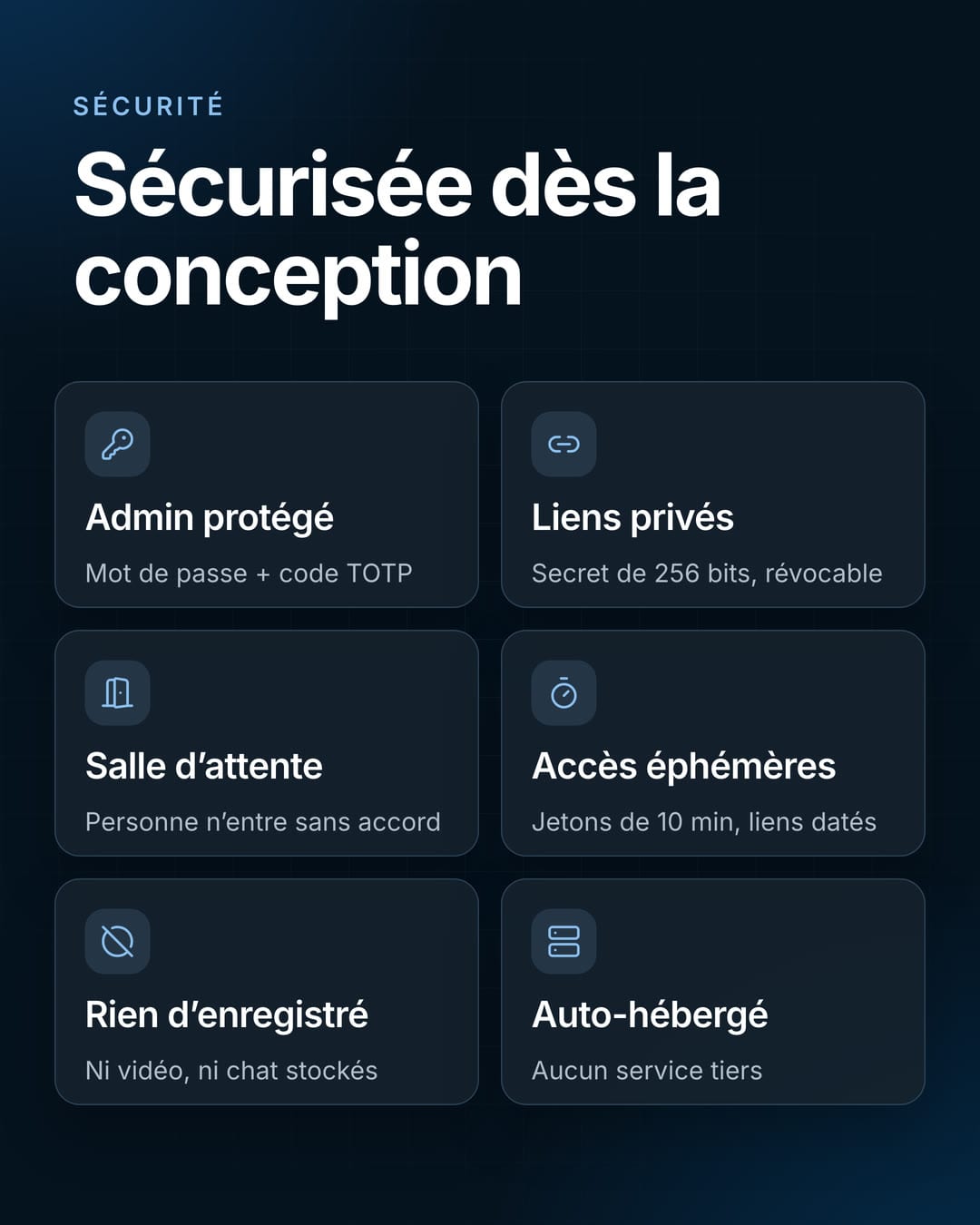
- Each link carries a 256-bit secret in the URL fragment (
#k=…). Browsers never send it to the server, so it never shows up in logs or in theRefererheader. - Only its SHA-256 hash is stored: even a database leak would not allow anyone to rebuild a link.
- As soon as the secret is exchanged for a session, it disappears from the address bar, which comes in handy when the guest shares their screen.
Getting into the room
- The waiting room is enforced by the application: nobody gets in without a host’s approval.
- Access tokens last 10 minutes, are issued only by the API, and carry unguessable identities.
- Entry check: every time someone joins the room, the API verifies they are allowed in; otherwise they are removed immediately. Revoking a link therefore cuts ongoing access too, not just future access.
Host accounts
- Sign-in with email, password and a TOTP code, with recovery codes.
- Rate-limited attempts and CSRF protection.
Data
- No recording: no recording service is deployed, no token carries that permission, and there is no transcription or AI processing.
- Chat is never stored server-side, and the audit log holds no content, secret or token.
- Strict security headers (HSTS, CSP, no framing), read-only containers without privileges running as non-root, and databases that are not exposed.
A DevSecOps approach
- Monorepo with pnpm and Turborepo, strict TypeScript everywhere, and data schemas (zod) shared between the front end and the API.
- A complete CI on GitHub Actions: lint, type checking, unit tests, integration tests against real services (PostgreSQL, Redis, LiveKit) and Playwright browser journeys. Images are only built when everything is green, and actions are pinned by SHA.
- Pinned versions: application images are published to GHCR and tagged with the commit SHA, and third-party images are pinned by version and digest, which CI enforces.
- Scripted deployment: backup, migrations, startup, health check, then automatic rollback to the previous version if health is not restored.
- Encrypted backups with age, to public keys: the server itself cannot decrypt them.
- Documented decisions: nine ADRs (architecture, invitations, waiting room, revocation, no recording…) and operations runbooks (incidents, backups, secrets).
- Observability ready to switch on: Prometheus, Grafana, Loki and Alertmanager.
Design system and accessibility
- A custom design system: CSS tokens, accessible React components and a playground showing mockups of every screen and its states.
- The target is WCAG 2.2 AA: contrasts are checked automatically, everything works with the keyboard, screen readers are supported, every component passes an axe test, and
prefers-reduced-motionis respected. - A dedicated dark theme for the room, so the video stays front and center.
Results
- 1 private link per guest, 0 accounts and 0 installs on the guest side;
- 0 recordings, 0 chat messages stored;
- 10 minutes of validity for an access token;
- port 443 is enough, even behind a strict corporate firewall;
- 9 documented architecture decisions, and deployment and rollback in a single command each.
Limitations and next steps
- No end-to-end encryption. Streams are encrypted in transit, but the media server relays them. Since it is our own server, the risk stays under control. LiveKit supports end-to-end encryption: that is the logical next step.
- A single server, so no high availability for now.
- Deployment from CI (with approval) is ready but not wired up yet: we deploy over SSH with the same script.
- No recording, which is a deliberate choice for this first version.
Tech stack
- Front end: React, TypeScript, Vite, LiveKit Components, custom design system in plain CSS, Lucide.
- API: NestJS, Fastify, TypeORM, zod, Server-Sent Events.
- Media: LiveKit (WebRTC SFU), TURN/TLS.
- Data: PostgreSQL, Redis.
- Infrastructure: Docker Compose, Caddy (with the layer4 module), GHCR, GitHub Actions.
- Quality: Vitest, Testing Library, axe-core, Playwright, ESLint, Prettier, commitlint, lefthook.
- Operations: Prometheus, Grafana, Loki, Alertmanager, backups encrypted with age.